Spring AI: Bringing LLMs to Your JVM
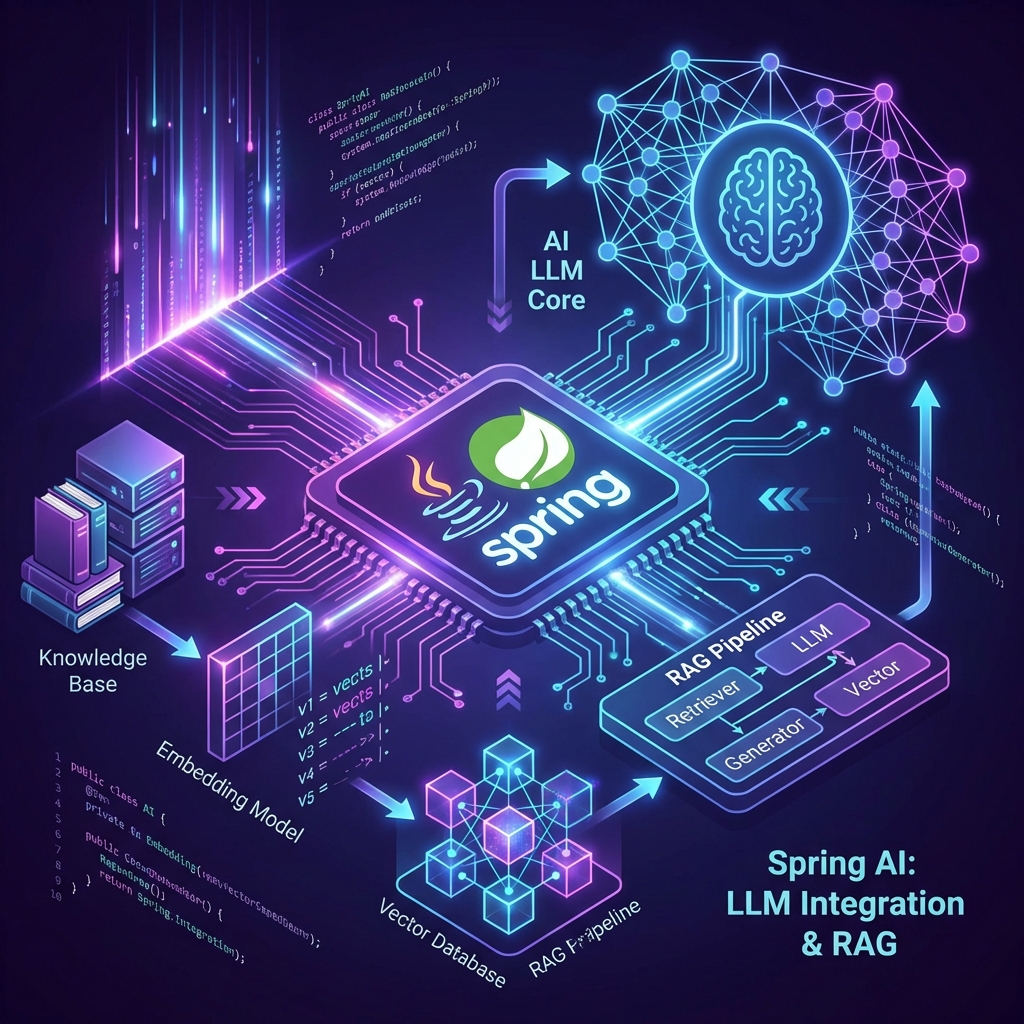
AI Doesn’t Mean Rewriting in Python
You don’t need to abandon Java to add AI features. Spring AI brings LLM integration directly to the Spring ecosystem with familiar patterns and production-grade reliability.
Spring AI: The Basics
Spring AI provides a unified API for multiple LLM providers (OpenAI, Azure, Anthropic, Ollama).
Simple Chat Completion
@RestController
public class ChatController {
    private final ChatClient chatClient;

    public ChatController(ChatClient.Builder builder) {
        this.chatClient = builder.build();
    }

    @GetMapping("/ask")
    public String ask(@RequestParam String question) {
        return chatClient.call(question);
    }
}
That’s it. Spring AI handles connection pooling, retries, and error handling.
RAG: Making LLMs Actually Useful
Raw LLMs hallucinate. RAG (Retrieval Augmented Generation) grounds responses in your actual data.
The RAG Pipeline
- Embed your documents into vectors
- Store in a vector database (Pinecone, Chroma, Weaviate)
- Retrieve relevant chunks for each query
- Augment the LLM prompt with retrieved context
Implementation with Spring AI
@Service
public class DocumentService {
    private final VectorStore vectorStore;
    private final EmbeddingClient embeddingClient;

    public void ingestDocument(String content) {
        // Split into chunks
        var chunks = new TokenTextSplitter().split(content);

        // Generate embeddings
        var embeddings = embeddingClient.embed(chunks);

        // Store in vector DB
        vectorStore.add(embeddings);
    }

    public String queryWithContext(String question) {
        // Find relevant chunks
        var results = vectorStore.similaritySearch(question, 3);

        // Build augmented prompt
        String context = results.stream()
            .map(doc -> doc.getContent())
            .collect(Collectors.joining("\n\n"));

        String prompt = """
            Answer the question based on this context:

            %s

            Question: %s
            """.formatted(context, question);

        return chatClient.call(prompt);
    }
}
Production Patterns
1. Prompt Templates
Don’t concatenate strings. Use templates:
@Bean
PromptTemplate systemPrompt() {
    return new PromptTemplate("""
        You are a helpful assistant for {company_name}.
        Always respond in a {tone} tone.
        Never reveal internal company data.
        """);
}
2. Streaming Responses
For better UX, stream tokens as they’re generated:
@GetMapping(value = "/stream", produces = MediaType.TEXT_EVENT_STREAM_VALUE)
public Flux<String> stream(@RequestParam String question) {
    return chatClient.stream(question);
}
3. Cost Control
LLMs are expensive. Cache aggressively:
@Cacheable("llm-responses")
public String askWithCache(String question) {
    return chatClient.call(question);
}
Vector Database Integration
Spring AI supports multiple vector stores. Here’s Chroma:
@Configuration
public class VectorStoreConfig {

    @Bean
    ChromaVectorStore vectorStore(EmbeddingClient embeddingClient) {
        return new ChromaVectorStore(
            embeddingClient,
            "http://localhost:8000",
            "my_collection"
        );
    }
}
Real-World Use Cases
| Use Case | Traditional Approach | With Spring AI + RAG |
|---|---|---|
| Customer Support | Rule-based chatbots | Context-aware responses from your docs |
| Search | Elasticsearch keyword matching | Semantic search across all content |
| Code Documentation | Static Javadoc | Interactive Q&A about your codebase |
Conclusion
Spring AI democratizes LLM integration for Java developers. You get familiar Spring patterns, production-grade error handling, and easy integration with your existing services—no Python migration required.
Want more modern patterns? Check out GraphQL Federation or Reactive Streams for advanced API designs.